
Here are the steps to download your smart meter data file:
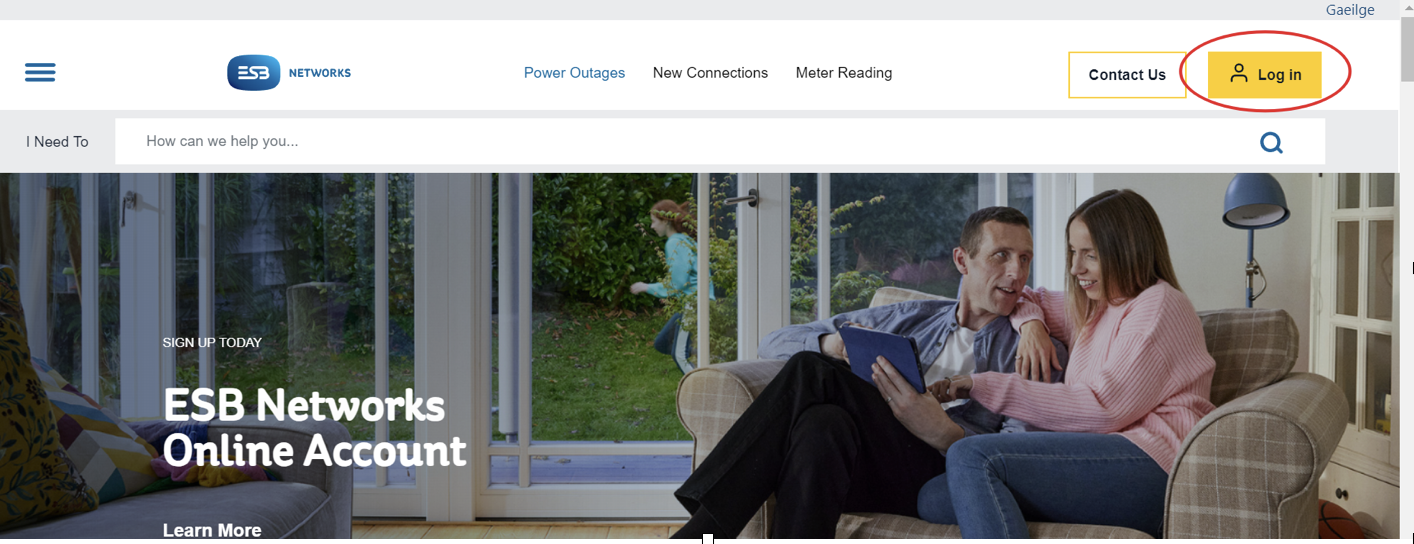
1. Open the website:https://www.esbnetworks.ie/
2. Click the upper right corner button Login in.
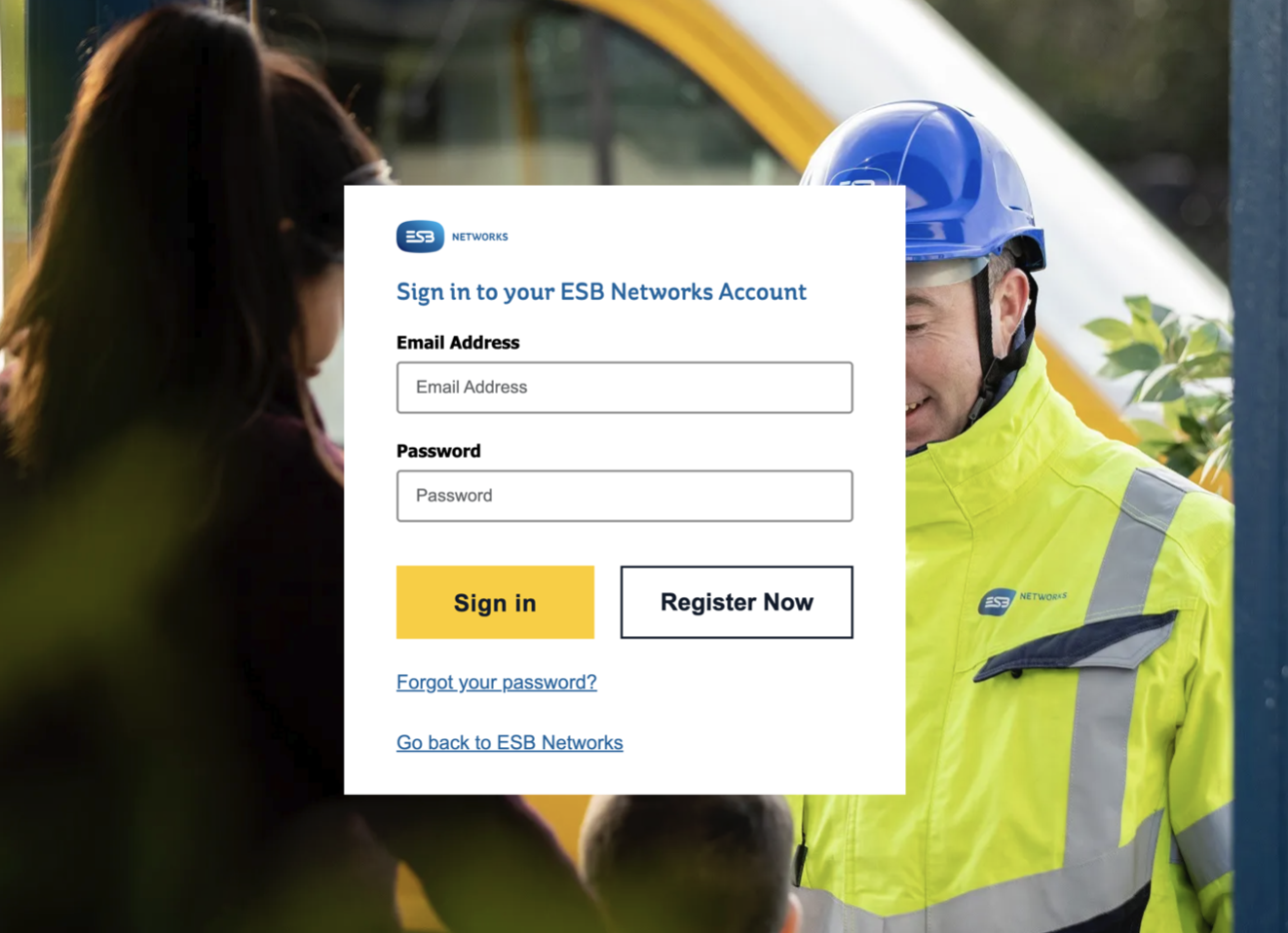
3. Input your email address and password, then click Sign in. (If you don’t have an account, you need to register first. All you need is your MPRN number. Note this is not the same account as your energy supplier which might be Bord Gáis or Energia or one of the others.
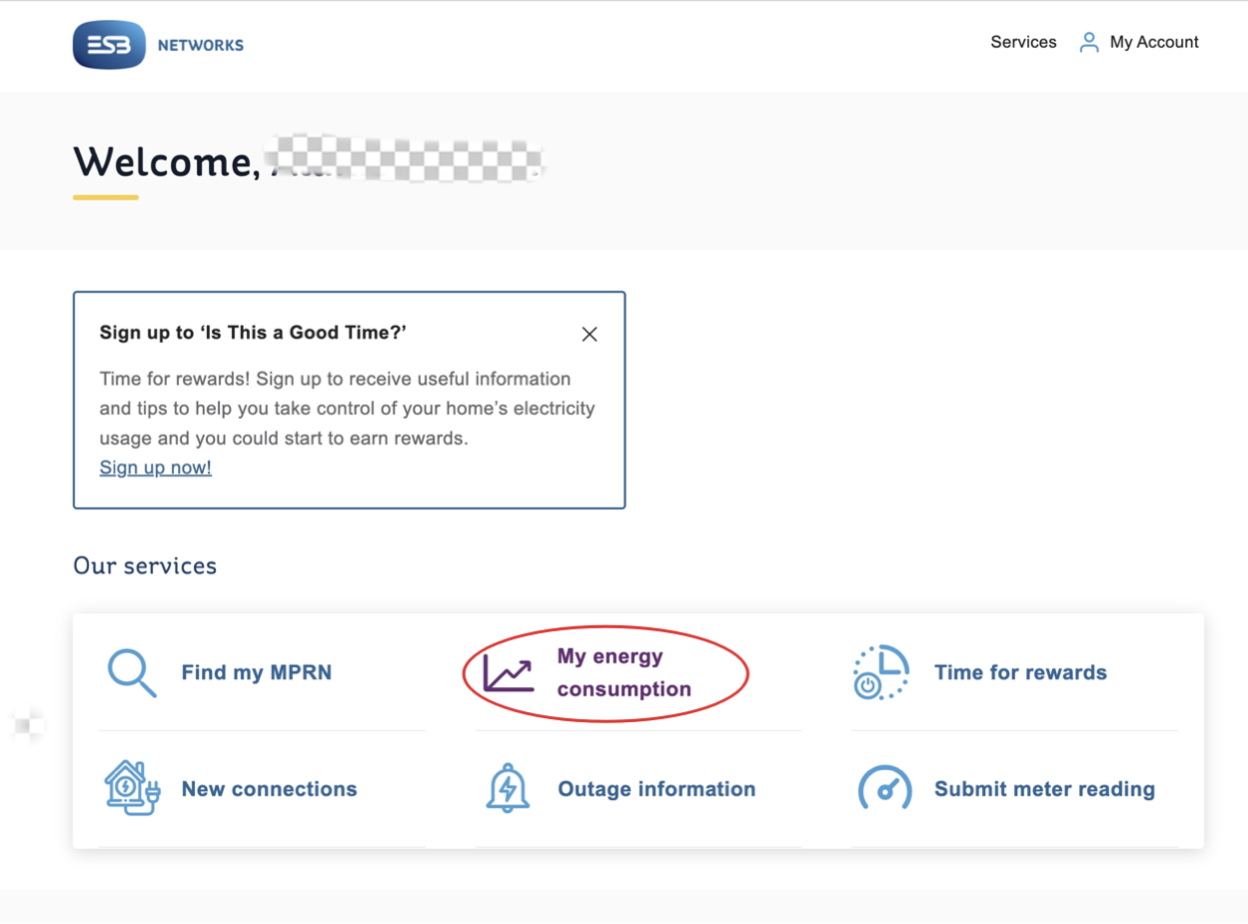
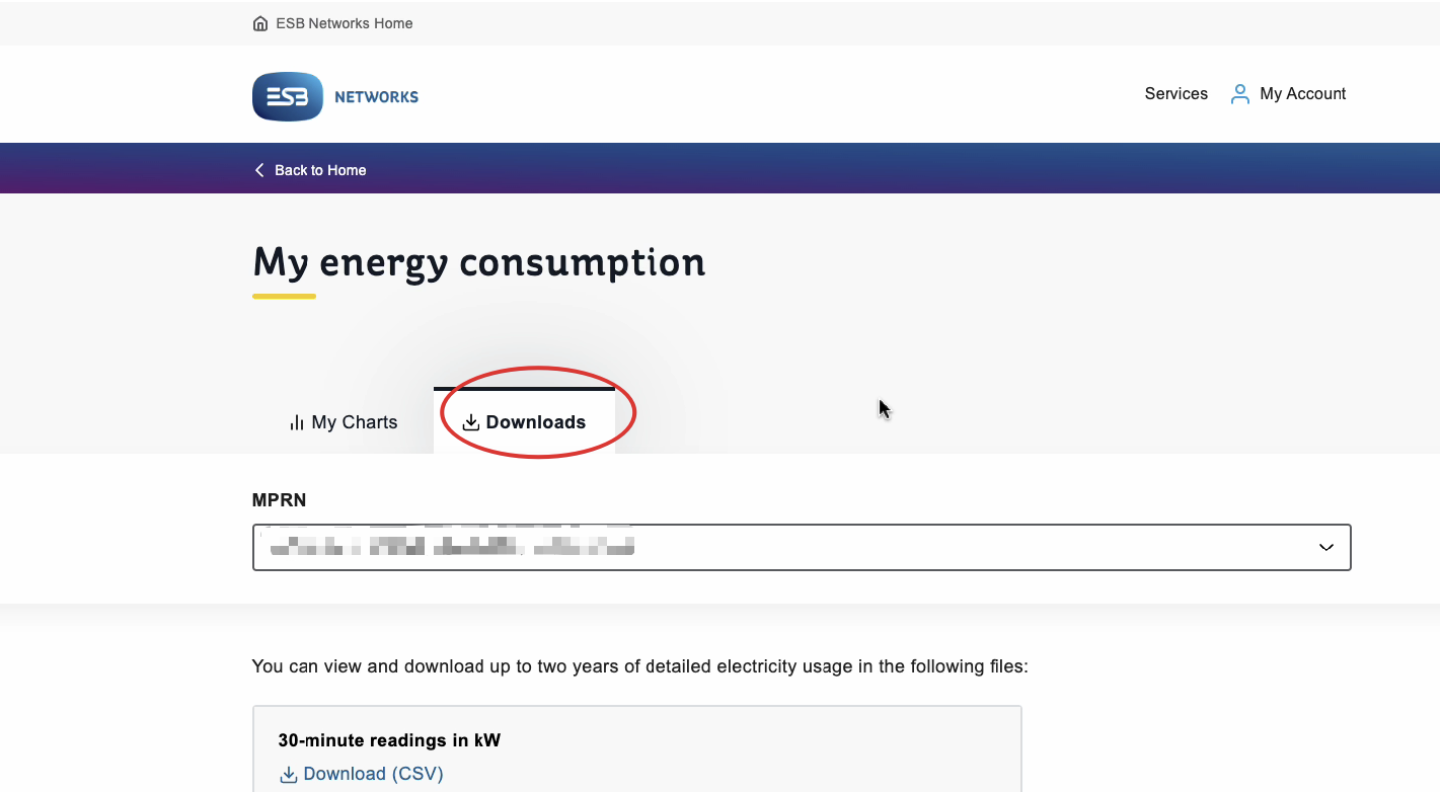
4. Click My energy consumption.
5. Click Downloads.
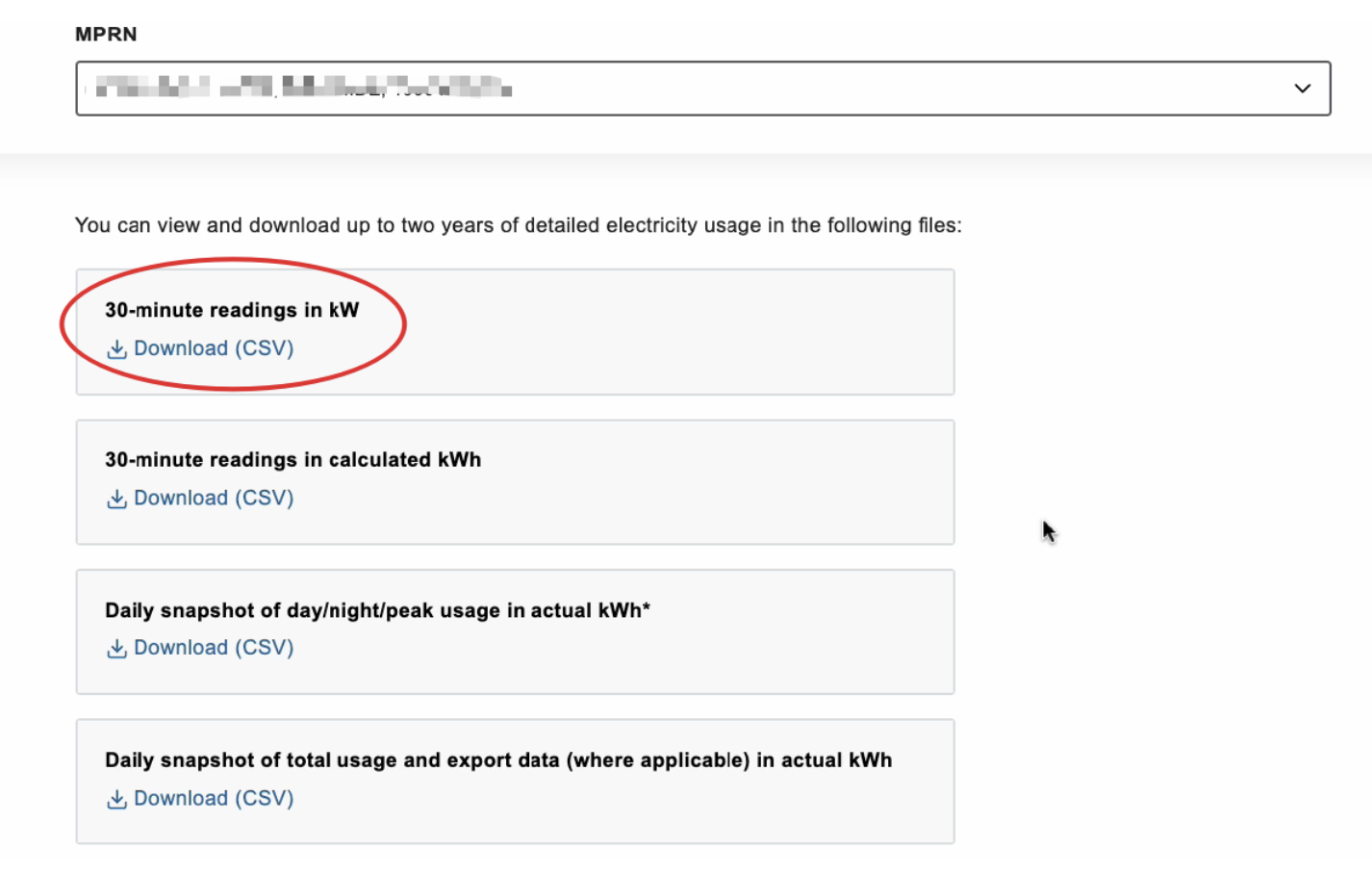
6. Click the first option, 30-minute readings in kW. The file contains the electricity data you imported from the grid and exported back to the grid (if you microgenerate) up to yesterday.
7. Please keep in mind where you save the file, and upload the file to the questionnaire. Please don’t open and save the HDF file into any other format, as this corrupts the format so we need the original downloaded file.